
FBR made it mandatory to the Employer Registration Number while submitting the income tax return 2026 by the salary individuals. Every Salary person who is filing his income tax return, now add his employer registration number or Federal Tax Number (FTN) in the IRIS portal. Here I have arranged a list of FTN’s of government employers which you can use during filing of income tax return 2026.
How to add Employer Registration Number in Tax Returns
You need to follow the steps below to learn who to add employer registration number in the tax return form:
Step 1: Login to the IRIS Dashboard
You need to log in to the IRIS website by using your CNIC and the password you created during the NTN registration process.

Step 2: Open Tax Return Form
After log in you need to open the 2026 or any other years tax return from:
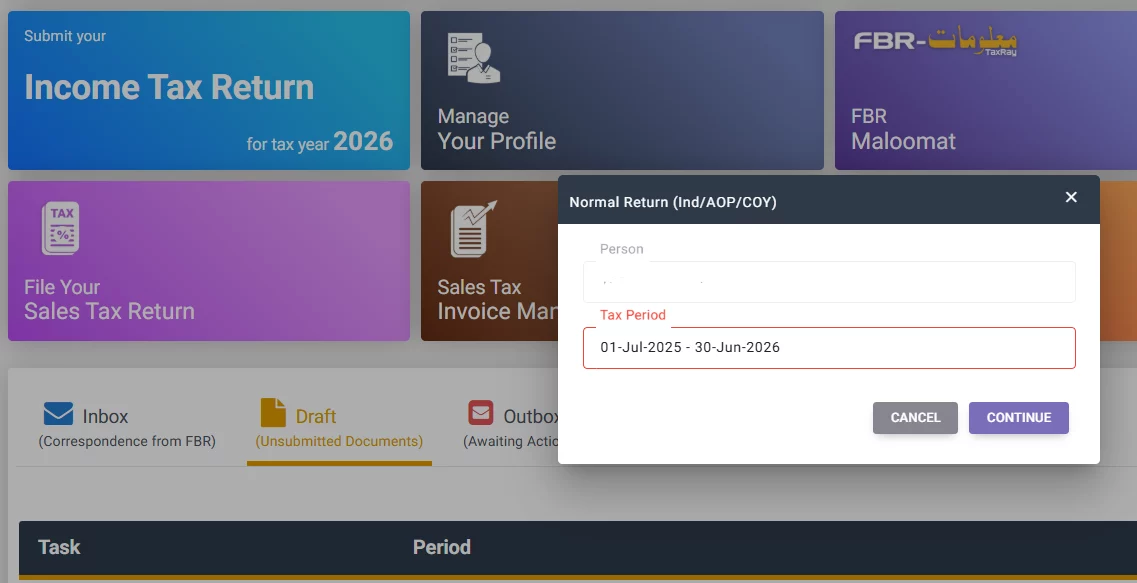
Step 3: Add Employer Registration Number (FTN)
When you opened the tax return form for filing tax return you will see a button above the salary section to add employer details, click that button:
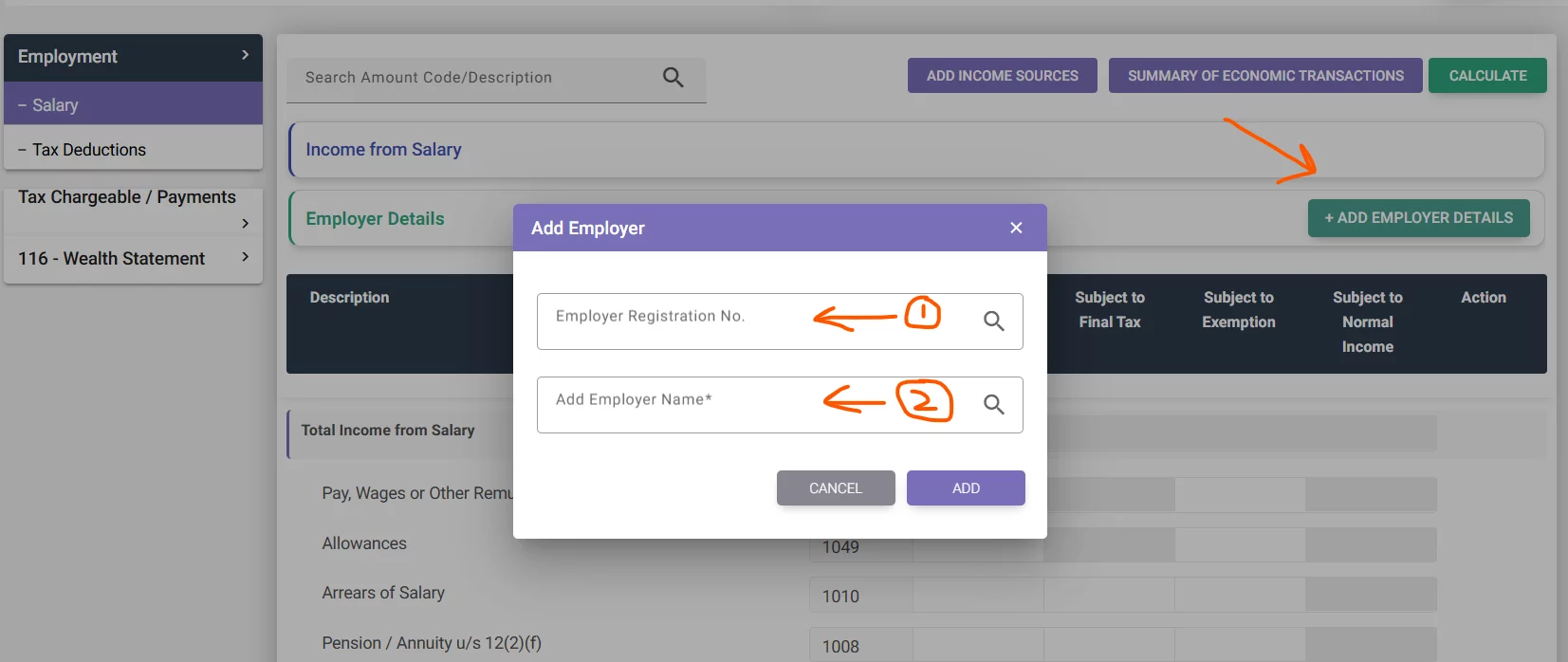
Here you will enter the employer registration number in the first column and press the search button. Upon entering the correct number you will see it automatically fetches the name of the employer from the database and shown in the below column.
List of Employer Registration Number (FTN)
Here is the list of Federal government employers to mention in the Tax return form for salary individuals. Press the download button to get the complete list.
Now if you wish to learn this income tax return you can check out the tax return courses here.
